In this article
- What Does a Product Design Agency Actually Deliver? A Startup Founder’s Checklist
- 1. Product Discovery and User Research
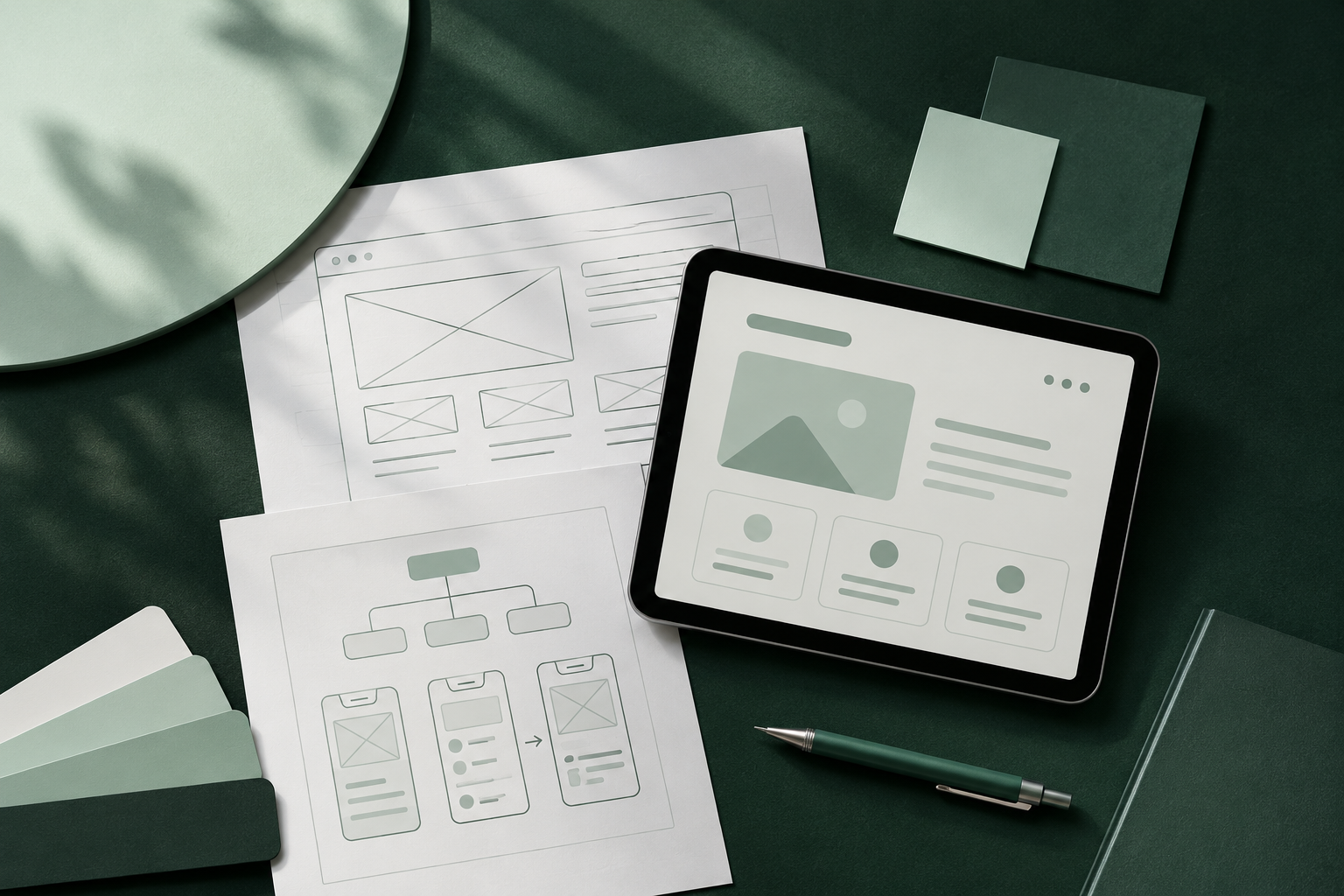
- 2. User Flows and Information Architecture
- 3. Wireframes and Interactive Prototypes
- 4. High-Fidelity UI Design
- 5. Design Systems and Reusable Components
- 6. Developer Handoff and Design Documentation
- Your Product Design Checklist: What Should You Receive?
- How to Evaluate a Product Design Agency Before Hiring
- Why Your Design Partner Should Understand Development
- Frequently Asked Questions
- Ready to Turn Your Product Idea Into a Digital Experience?
What Does a Product Design Agency Actually Deliver? A Startup Founder’s Checklist
Hiring a product design agency should give you more than attractive screens. You should receive a clear product structure, researched user journeys, interactive prototypes, consistent interface designs and development-ready files that help turn your idea into a working digital product.
to development-ready design.
But what is included in product design, exactly?
For startups building a SaaS platform, web application or mobile app, professional product design typically covers five key areas: discovery and research, UX architecture, wireframing and prototyping, UI design, and developer handoff. The exact deliverables depend on your product's complexity and project scope.
Here's what founders should expect before hiring a product design agency.
1. Product Discovery and User Research
Every successful product starts with understanding the problem it needs to solve.
During discovery, a product design team learns about your business objectives, target audience, competitors and the challenges your users face.
Typical deliverables include:
- Project discovery and requirements documentation.
- Target audience and user profiles.
- Competitor and market analysis.
- Core product goals and feature priorities.
- Initial product scope and recommendations.
Why it matters: Without discovery, teams risk designing features based on assumptions rather than actual user needs.
For example, a startup developing a project management SaaS platform needs to understand how teams currently manage tasks, collaborate and track progress before deciding which features belong in its first release.
2. User Flows and Information Architecture
Once the product requirements are clear, designers organize how users will navigate the application.
Information architecture defines the structure of your product, while user flows illustrate the steps required to complete specific tasks.
You should expect:
- Information architecture and navigation structure.
- User journey maps where appropriate.
- User flow diagrams.
- Feature and screen relationships.
- Key interaction scenarios.
Consider a mobile banking application. A user flow might cover registration, identity verification, adding a payment method and completing a transaction.
Mapping this journey before designing individual screens helps identify unnecessary steps and confusing interactions.
3. Wireframes and Interactive Prototypes
Wireframes establish the structure of individual screens before visual styling begins.
They help founders review layouts, content hierarchy, navigation and functionality without becoming distracted by colors or decorative elements.
Typical deliverables include:
- Low-fidelity wireframes.
- Screen layouts and navigation patterns.
- Clickable interactive prototypes.
- Feedback and revision documentation.
A prototype is particularly valuable because stakeholders can experience important interactions before development begins.
For example, you can test whether a new user understands your SaaS onboarding process before investing engineering resources in building it.
4. High-Fidelity UI Design
This is where the product receives its visual identity.
Designers transform approved wireframes into polished interfaces that communicate information clearly and maintain consistency across devices.
A typical UI design package includes:
- High-fidelity desktop and mobile screens.
- Typography and color systems.
- Buttons, forms, navigation and interface elements.
- Responsive layout considerations.
- Loading, empty, success and error states.
- Interaction and component specifications.
Accessibility should also be considered during this stage. The W3C's WCAG 2.2 guidelines provide established recommendations for making digital interfaces more accessible.
For example, sufficient text contrast, keyboard accessibility and clearly identifiable form controls can make an application easier for more people to use.
5. Design Systems and Reusable Components
A design system is a collection of reusable interface components, design rules and documentation.
Instead of creating every button, form or navigation element independently, designers establish consistent components that can be reused throughout the product.
Your deliverables may include:
- Color and typography styles.
- Spacing and layout rules.
- Reusable UI components.
- Component variations and interaction states.
- Design tokens.
- Usage documentation.
This becomes particularly important as your startup grows.
A product with 10 screens might initially function without a formal component library. However, as new features and screens are introduced, inconsistent design decisions can become increasingly difficult to manage.
A reusable design system provides a foundation for future improvements.
6. Developer Handoff and Design Documentation
A finished design is not necessarily ready for development.
Your engineering team needs to understand how each screen should behave, how components fit together and how different interface states should work.
A professional handoff should include:
- Organized and editable Figma files.
- Component specifications.
- Layout and spacing information.
- Interaction behavior.
- Exportable assets where required.
- Responsive design references.
- Notes covering important interface states.
One important distinction: developer-ready design files are not the same as a developed application.
If you need working software, confirm whether development is included in the engagement.
This is one area where Neslor Studio offers an additional advantage: design and development are handled by the same team. That reduces the communication gap between the people designing your product and those building it.
Your Product Design Checklist: What Should You Receive?
Before approving an agency proposal, use this checklist to evaluate its deliverables.
| Deliverable | What to check |
|---|---|
| Product discovery | Are goals and requirements documented? |
| User research | Are user needs and problems understood? |
| User flows | Are important journeys mapped? |
| Wireframes | Are screen structures clearly defined? |
| Interactive prototype | Can you test important interactions? |
| UI designs | Are all agreed screens included? |
| Design system | Are components reusable and consistent? |
| Responsive layouts | Are relevant device sizes considered? |
| Developer handoff | Are Figma files organized and documented? |
| Design support | Is implementation or post-launch support available? |
Not every project needs every deliverable. A focused MVP may require less research and documentation than a complex enterprise platform.
The important thing is that the scope is agreed upon before work begins.
How to Evaluate a Product Design Agency Before Hiring
A strong product design portfolio should demonstrate more than attractive visual presentations.
Look for evidence of:
Problem-solving: Can the agency explain the user problem behind its design decisions?
Process: Does its portfolio show research, wireframes, user flows and prototypes?
Consistency: Are interface components and interactions consistent across screens?
Complexity: Has the team worked on products similar to yours?
Implementation readiness: Can the agency provide organized design files that developers can actually use?
For example, Neslor Studio's portfolio includes SonicPay, with 20+ designed screens, and Teamwora, with 9 designed screens. These projects provide concrete examples of the studio's product interface work.
Why Your Design Partner Should Understand Development
One of the most overlooked product design requirements is understanding how designs translate into working software.
A visually impressive interface can still create development problems when interactions, responsive behavior or component requirements are not properly considered.
Working with a team that understands both disciplines helps connect design decisions with implementation realities.
At Neslor Studio, product design and development work together rather than operating as disconnected services. The studio works with startup founders and product teams to create web apps, SaaS platforms and mobile applications, with research, prototyping and reusable design systems forming part of its design approach.
Explore our product design services to understand how we can help shape your next digital product.
Frequently Asked Questions
What is included in product design?
Product design typically includes discovery, user research, information architecture, user flows, wireframes, interactive prototypes, high-fidelity UI designs, design systems and developer handoff.
How long does a product design project take?
Timelines depend on product complexity, research requirements and the number of screens. Neslor Studio lists a typical product design timeframe of 2–3 weeks, with the final schedule depending on the agreed project scope.
Do product design agencies provide development?
Not always. Some agencies focus exclusively on design, while others offer both design and development. Confirm whether coding, testing and launch support are included before signing an agreement.
Do startups need a design system for an MVP?
A complete enterprise-level design system may be unnecessary for an early MVP. However, establishing reusable components, typography, colors and basic interface rules helps maintain consistency as the product grows.
What should I prepare before hiring a product design agency?
Prepare your product idea, business goals, target audience, core features, available references, budget expectations and any existing designs or research. You do not need a fully documented product specification to begin, but clarity about your objectives makes discovery more productive.
Ready to Turn Your Product Idea Into a Digital Experience?
Choosing the right product design partner can make the difference between a collection of attractive screens and a well-structured digital product that users can understand and developers can build.
Neslor Studio works with startups and growing businesses to design web applications, SaaS platforms and mobile experiences, bringing product thinking, interface design and development together.
Have a product idea in mind? Let's discuss what it needs and how to bring it to life.
Explore Product Design Services ↗